












5 AI Features Every Luxury Agent’s Website Should Have in 2026

03-luxury-ai-features

The Short Version

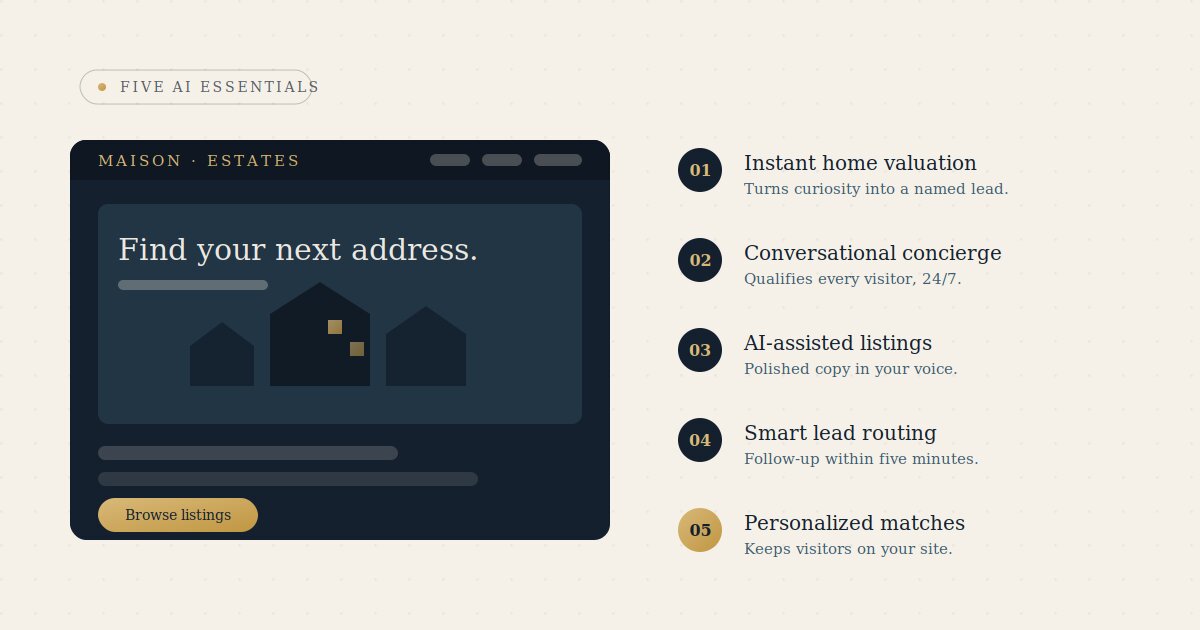
In 2026, a luxury real estate website has to perform, not just look good. The five AI features that turn a site into a lead-generating asset are an instant home valuation tool, a 24/7 conversational assistant, AI-assisted content, smart lead routing, and personalized property recommendations — each one an extension of responsive, concierge-level service.

For a luxury real estate agent, your website is often the first impression a multimillion-dollar client forms of you—long before you’ve ever spoken. In 2026, simply looking beautiful is no longer enough. The websites that generate business do more than impress; they perform.

1. An Instant Home Valuation Tool That Captures the Lead

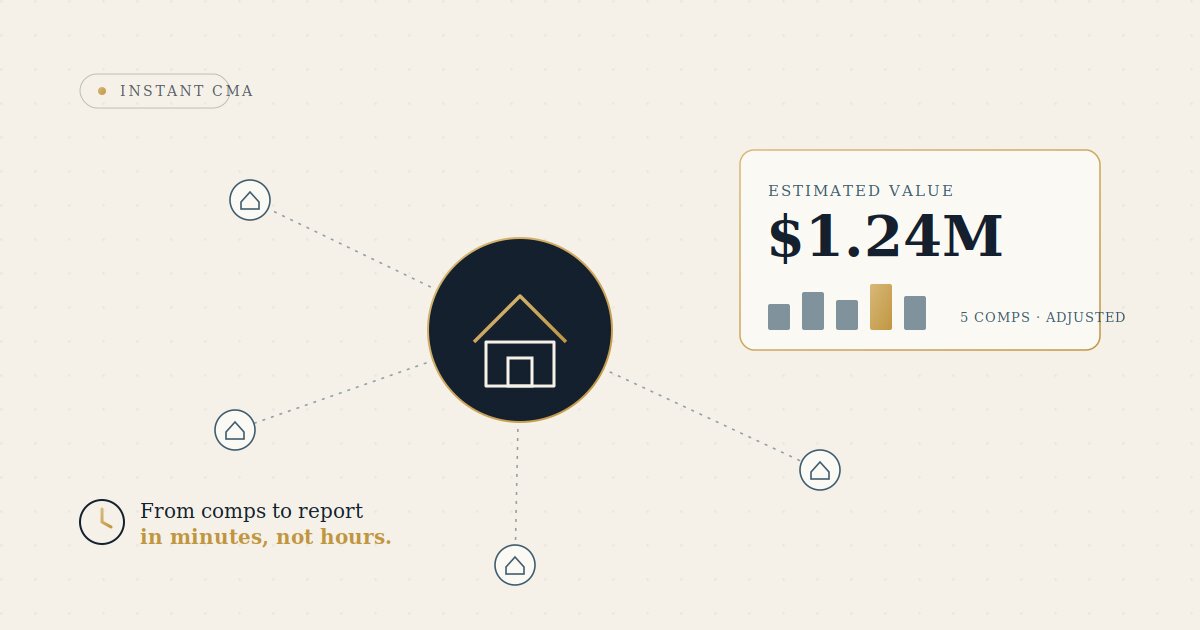
“What’s my home worth?” remains the most powerful question in real estate, yet many agents fail to capitalize on it. An AI-powered home valuation tool provides homeowners with an immediate estimate while capturing valuable lead information, giving you a qualified prospect the moment they engage.

2. A Conversational AI Assistant That Qualifies Leads 24/7

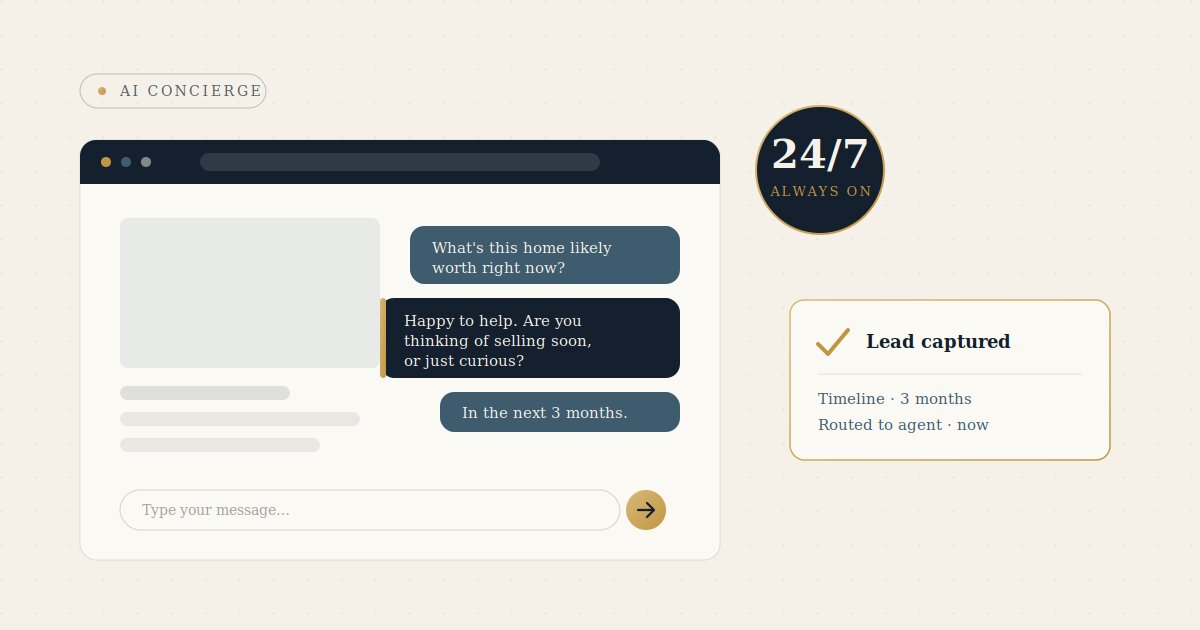
AI chat assistants eliminate the industry’s average 15-hour response gap. They greet visitors, answer questions, and qualify prospects based on budget, timeline, financing status, and motivation. For luxury real estate, the experience should feel like a personal concierge—not a generic chatbot.

3. AI-Assisted Listing and Content Presentation

High-quality listing descriptions, neighborhood guides, and market updates can be produced more efficiently with AI. This allows agents to maintain a consistent flow of fresh content that supports search visibility and engagement. The best practice is simple: let AI create the first draft, then refine it with your expertise and personal voice.

4. Smart Lead Routing and Instant Follow-Up

The first five minutes after a lead inquiry often determine whether a prospect converts. Automated lead routing ensures immediate notifications, instant acknowledgments, CRM integration, and assignment to the most appropriate agent. While invisible to visitors, this infrastructure significantly increases conversion rates.

5. AI-Personalized Property Recommendations

Personalized property recommendations keep visitors engaged on your website instead of sending them to national real estate portals. By analyzing user behavior and preferences, AI can suggest relevant listings and create a more tailored browsing experience.

The Thread That Ties Them Together

Each of these features extends the responsiveness and attentiveness of exceptional customer service to every visitor, at any time of day. Together, they create a digital experience that feels personal, proactive, and professional.

A Word of Caution

AI tools are only as effective as the systems surrounding them. Secure your integrations, protect API keys, maintain brand consistency, and keep human oversight in the process. AI can qualify, engage, and capture leads—but relationships and transactions are still closed by people.

Bottom Line

In 2026, the difference between a beautiful real estate website and a productive one is thoughtful AI implementation. When applied strategically and with attention to client experience, AI transforms a website from a digital brochure into a business-generating asset. That’s exactly the kind of website we build for luxury agents and brokerages.

Frequently Asked Questions

1. What AI features should a luxury real estate website have in 2026?

The five that matter most are an instant home valuation tool, a 24/7 conversational AI assistant, AI-assisted listing and content presentation, smart lead routing with instant follow-up, and AI-personalized property recommendations. Together they turn a website from a digital brochure into a business-generating asset.


2. How does an AI home valuation tool help capture leads?

“What’s my home worth?” is the most powerful question in real estate. An AI-powered valuation tool gives homeowners an immediate estimate while capturing their lead information, so you gain a qualified prospect the moment they engage.


3. What does a conversational AI assistant do for a real estate site?

It eliminates the industry’s average 15-hour response gap by greeting visitors, answering questions, and qualifying prospects on budget, timeline, financing, and motivation — 24/7. For luxury real estate, it should feel like a personal concierge, not a generic chatbot.


4. Can AI write my listing descriptions and content?

AI can produce efficient first drafts of listing descriptions, neighborhood guides, and market updates, helping you keep a consistent flow of fresh content. The best practice is to let AI create the first draft, then refine it with your expertise and personal voice.


5. Why does lead routing and instant follow-up matter?

The first five minutes after an inquiry often determine whether a prospect converts. Automated routing ensures immediate notifications, instant acknowledgments, CRM integration, and assignment to the right agent — invisible infrastructure that significantly increases conversion rates.


6. Are AI property recommendations worth adding?

Yes. Personalized recommendations keep visitors engaged on your site instead of sending them to national portals. By analyzing behavior and preferences, AI suggests relevant listings and creates a more tailored browsing experience.


7. What are the risks of adding AI to a real estate website?

AI tools are only as effective as the systems around them. Secure your integrations, protect your API keys, maintain brand consistency, and keep human oversight in the process. AI can qualify, engage, and capture leads — but relationships and transactions are still closed by people.


8. How much technical skill do I need to add these AI features to my website?

Less than most agents expect. Many of these tools — valuation widgets, conversational assistants, recommendation engines — are available as hosted services or plugins that integrate without custom development. The priority isn’t coding ability; it’s choosing tools that fit your brand, securing the integrations, and keeping a human in the loop.

How to Add an AI Chatbot to Your WordPress Real Estate Site (and Actually Capture More Leads)

how-to-add-an-ai-chatbot-to-your-wordpress-real-estate-site-and-actually-capture-more-leads

The Short Version

Most real estate leads go to whoever responds first, but the average reply takes over 15 hours. An AI chatbot closes that gap — answering questions, qualifying leads, and booking showings 24/7. You can add one to WordPress the simple way (a hosted service plus a plugin) or the technical way (a self-hosted plugin), as long as you handle the API key securely and connect it cleanly to your CRM and calendar.

The Importance of Fast Response in Real Estate Leads

The average response time to an online real estate lead is over 15 hours, and agents lose a large share of buyers to whoever replies first — often within minutes.
If a serious buyer lands on your site at 9 p.m. and the only option is a static contact form, you’ve likely already lost them.
An AI chatbot fixes the gap between “interested” and “contacted”.

What an AI Chatbot Does on a Real Estate Site

  • Answers buyer/seller questions instantly
  • Qualifies leads (budget, timeline, financing, motivation)
  • Captures contact details in conversation
  • Books showings
  • Routes hot leads to you immediately so you hit the first-response window

The Two Ways to Integrate into WordPress

1. Simple Way

A hosted AI service + plugin. Install plugin, paste an ID/API key, and go live in minutes.
AI and knowledge base live on the vendor’s platform; only the widget is added to your site (e.g., Jotform AI, Quickchat AI, Tidio).
Best for fast results without managing infrastructure.

2. Technical Way

A self-hosted plugin (e.g., WPBot) runs inside your own WordPress install.
This gives more control and data ownership, but requires maintenance and connecting your own AI provider.
Best for brokerages with specific privacy or branding needs.

What the API Key Actually Does

The API key is a private password that lets your site talk to the AI service.
Two important rules: treat it like a password and never expose it publicly, and monitor usage-based billing since many providers charge per conversation or token.

Connecting It to the Rest of Your Business

  • CRM integration to push every lead
  • Calendar integration to book showings
  • Instant notifications via email or SMS for hot leads
  • Multi-channel support (WhatsApp, Instagram, Messenger)

Most tools connect via webhooks or Zapier, so no custom development is usually required.

Keeping It Premium (and Not Annoying)

  • Match your brand identity
  • Lead with help, not hard selling
  • Be transparent that it’s an assistant
  • Always allow smooth handoff to a human agent

Bottom Line

An AI chatbot is one of the highest-ROI additions to a WordPress real estate site in 2026.
The difference between one that elevates your brand and one that cheapens it comes down to setup:
the right tool, secure API handling, clean CRM/calendar integrations, and a design that feels like your brand.

Frequently Asked Questions

1. Why does response time matter so much for real estate leads?

The average response time to an online real estate lead is over 15 hours, and agents lose a large share of buyers to whoever replies first, often within minutes. If a serious buyer visits your site at 9 p.m. and only finds a static contact form, you’ve probably already lost them. A chatbot closes the gap between “interested” and “contacted.”


2. What can an AI chatbot actually do on a real estate website?

It answers buyer and seller questions instantly, qualifies leads by budget, timeline, financing, and motivation, captures contact details mid-conversation, books showings, and routes hot leads to you right away so you hit the critical first-response window.


3. What are the two ways to add a chatbot to WordPress?

The simple way uses a hosted AI service plus a plugin: you install it, paste in an ID or API key, and go live in minutes (think Jotform AI, Quickchat AI, or Tidio). The technical way uses a self-hosted plugin like WPBot that runs inside your own WordPress install, giving you more control and data ownership in exchange for added maintenance.


4. Which integration method is right for me?

The simple, hosted route is best if you want fast results without managing infrastructure. The self-hosted route is better for brokerages with specific privacy, data-ownership, or branding requirements who don’t mind handling maintenance and connecting their own AI provider.


5. What is an API key and how should I handle it?

An API key is a private password that lets your site communicate with the AI service. Treat it like any password and never expose it publicly, and keep an eye on usage-based billing, since many providers charge per conversation or per token.


6. How does the chatbot connect to the rest of my business tools?

It can integrate with your CRM to push every lead, sync with your calendar to book showings, send instant email or SMS alerts for hot leads, and support multiple channels like WhatsApp, Instagram, and Messenger. Most tools connect through webhooks or Zapier, so custom development usually isn’t required.


7. How do I keep a chatbot from feeling cheap or annoying?

Match it to your brand identity, lead with help rather than a hard sell, be transparent that visitors are talking to an assistant, and always allow a smooth handoff to a human agent.


8. Is adding an AI chatbot really worth it in 2026?

It’s described as one of the highest-ROI additions to a WordPress real estate site. The difference between one that elevates your brand and one that cheapens it comes down to the setup: the right tool, secure API handling, clean CRM and calendar integrations, and a design that feels like your own brand.

AI Instant CMA Tools: Faster Pricing Without Losing the Judgment That Wins Listings

ai-instant-cma-tools-faster-pricing-without-losing-the-judgment-that-wins-listings

The Short Version

A CMA is still where you win or lose a seller’s trust — and it used to eat two to four hours per report. AI instant CMA tools collapse the manual assembly into minutes, so you start from a finished draft instead of a blank spreadsheet. The catch: AI formats a bad comp set as beautifully as a good one, so the judgment, adjustments, and final price stay yours.

A comparative market analysis is still the most important document an agent puts in front of a seller. It’s where trust is won or lost. And for years it has also been one of the most tedious things on an agent’s plate — most agents spend two to four hours on a single CMA, pulling comps from the MLS, adjusting for square footage and condition, formatting the report, and packaging it for a listing presentation.

AI is changing the time cost of that work, not the importance of it. The agents pulling ahead in 2026 are the ones who let AI handle the assembly so they can spend their energy on the part a seller actually pays for: judgment, strategy, and a confident recommendation.

An instant CMA tool uses AI to collapse the manual grind — pulling comps, organizing the data, adjusting for differences, and building a presentation-ready report — into a couple of minutes. Platforms like Fello connect directly to MLS feeds and public records, automatically clean up and structure messy inputs, and hand you a polished, branded report ready to send to a client. The AI does the heavy lifting on the comp selection and adjustments, so you start from a finished draft instead of a blank spreadsheet.

What it isn’t: a formal or legal valuation, and not a substitute for your own read on the local market. The tool gives you a fast, data-backed starting point — your expertise is what turns it into an accurate, defensible price.

Where AI Genuinely Helps

  • Speed on the first draft (walk into a listing appointment same day).
  • Cleaner data handling (extract, normalize, flag outliers).
  • Better-looking deliverables (presentation matters in luxury).
  • More CMAs, more often (15 minutes vs. 3 hours = more touchpoints, more listings).

Where It Can Quietly Hurt You

  • Garbage comps in, confident report out — AI formats a bad comp set as beautifully as a good one.
  • Over-reliance on automated adjustments — views, renovations, micro-location are judgment calls.
  • One number is not a pricing strategy.

Rule of thumb: let AI save you time, not make your decisions.

How to Fold It Into Your Workflow

  1. Start from MLS sold comps.
  2. Always review the comp set by hand.
  3. Override the adjustments that need a human.
  4. Keep the narrative yours.
  5. Present it as your work.

The Bigger Opportunity: Put the CMA on Your Website

A “What’s your home worth?” instant-valuation tool turns curious homeowners into named, contactable leads 24/7. The homeowner gets a ballpark; you get the lead and the chance to follow up with a real CMA that wins the listing.

Bottom Line

AI instant CMA tools are one of the clearest, lowest-risk wins in real estate tech right now. The agents who benefit most let it do the heavy lifting and keep judgment, strategy, and the relationship in human hands.

Frequently Asked Questions

1. What is an instant CMA tool?

It’s an AI-powered tool that collapses the manual grind of a comparative market analysis, pulling comps, organizing data, adjusting for differences, and building a presentation-ready report, into a couple of minutes. Platforms like Fello connect directly to MLS feeds and public records, clean up messy inputs automatically, and hand you a polished, branded report.


2. How much time can an AI CMA tool actually save?

Most agents spend two to four hours on a single CMA by hand. AI can bring that down to roughly 15 minutes, which means you can walk into a listing appointment the same day and produce more CMAs more often.


3. Does an instant CMA replace a professional appraisal?

No. It is not a formal or legal valuation, and it’s not a substitute for your own read on the local market. It gives you a fast, data-backed starting point; your expertise is what turns it into an accurate, defensible price.


4. Where does AI genuinely help with CMAs?

In four main areas: speed on the first draft, cleaner data handling (extracting, normalizing, and flagging outliers), better-looking deliverables that matter in luxury markets, and the ability to produce more CMAs more often, creating more client touchpoints and more listings.


5. What are the risks of relying on an AI CMA tool?

AI will format a bad comp set just as beautifully as a good one, so garbage in means a confident but wrong report out. It can also over-rely on automated adjustments when factors like views, renovations, and micro-location are judgment calls. And remember, one number is not a pricing strategy.


6. How should I fit an AI CMA tool into my workflow?

Start from MLS sold comps, always review the comp set by hand, override the adjustments that need a human, keep the narrative yours, and present the final result as your own work. The rule of thumb: let AI save you time, not make your decisions.


7. Can I put a CMA tool on my own website?

Yes, and it’s a major opportunity. A “What’s your home worth?” instant-valuation tool turns curious homeowners into named, contactable leads 24/7. The homeowner gets a ballpark figure, and you get the lead plus the chance to follow up with a full CMA that wins the listing.


8. Why are AI CMA tools considered a low-risk win in 2026?

They’re one of the clearest, lowest-risk wins in real estate tech right now because they speed up the tedious assembly work while keeping judgment, strategy, and the client relationship firmly in human hands, which is the part a seller actually pays for.