















The Short Version
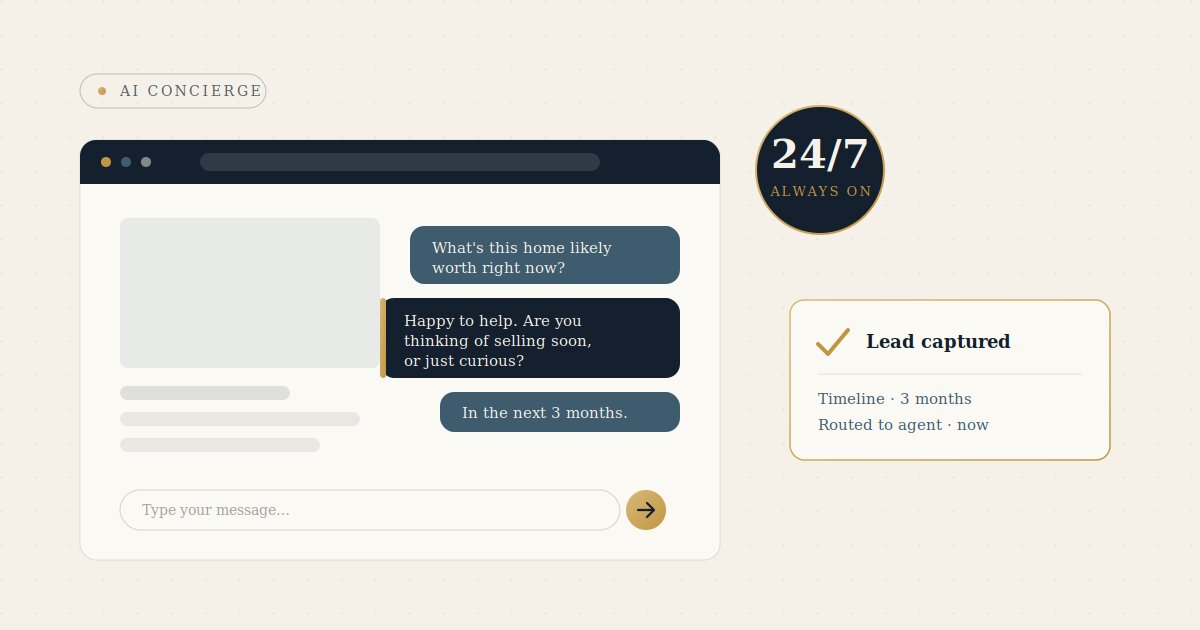
Most real estate leads go to whoever responds first, but the average reply takes over 15 hours. An AI chatbot closes that gap — answering questions, qualifying leads, and booking showings 24/7. You can add one to WordPress the simple way (a hosted service plus a plugin) or the technical way (a self-hosted plugin), as long as you handle the API key securely and connect it cleanly to your CRM and calendar.
The Importance of Fast Response in Real Estate Leads
The average response time to an online real estate lead is over 15 hours, and agents lose a large share of buyers to whoever replies first — often within minutes. If a serious buyer lands on your site at 9 p.m. and the only option is a static contact form, you’ve likely already lost them. An AI chatbot fixes the gap between “interested” and “contacted”.
What an AI Chatbot Does on a Real Estate Site
- Answers buyer/seller questions instantly
- Qualifies leads (budget, timeline, financing, motivation)
- Captures contact details in conversation
- Books showings
- Routes hot leads to you immediately so you hit the first-response window
The Two Ways to Integrate into WordPress
1. Simple Way
A hosted AI service + plugin. Install plugin, paste an ID/API key, and go live in minutes. AI and knowledge base live on the vendor’s platform; only the widget is added to your site (e.g., Jotform AI, Quickchat AI, Tidio). Best for fast results without managing infrastructure.
2. Technical Way
A self-hosted plugin (e.g., WPBot) runs inside your own WordPress install. This gives more control and data ownership, but requires maintenance and connecting your own AI provider. Best for brokerages with specific privacy or branding needs.
What the API Key Actually Does
The API key is a private password that lets your site talk to the AI service. Two important rules: treat it like a password and never expose it publicly, and monitor usage-based billing since many providers charge per conversation or token.
Connecting It to the Rest of Your Business
- CRM integration to push every lead
- Calendar integration to book showings
- Instant notifications via email or SMS for hot leads
- Multi-channel support (WhatsApp, Instagram, Messenger)
Most tools connect via webhooks or Zapier, so no custom development is usually required.
Keeping It Premium (and Not Annoying)
- Match your brand identity
- Lead with help, not hard selling
- Be transparent that it’s an assistant
- Always allow smooth handoff to a human agent
Bottom Line
An AI chatbot is one of the highest-ROI additions to a WordPress real estate site in 2026. The difference between one that elevates your brand and one that cheapens it comes down to setup: the right tool, secure API handling, clean CRM/calendar integrations, and a design that feels like your brand.
Frequently Asked Questions
1. Why does response time matter so much for real estate leads?
The average response time to an online real estate lead is over 15 hours, and agents lose a large share of buyers to whoever replies first, often within minutes. If a serious buyer visits your site at 9 p.m. and only finds a static contact form, you’ve probably already lost them. A chatbot closes the gap between “interested” and “contacted.”
2. What can an AI chatbot actually do on a real estate website?
It answers buyer and seller questions instantly, qualifies leads by budget, timeline, financing, and motivation, captures contact details mid-conversation, books showings, and routes hot leads to you right away so you hit the critical first-response window.
3. What are the two ways to add a chatbot to WordPress?
The simple way uses a hosted AI service plus a plugin: you install it, paste in an ID or API key, and go live in minutes (think Jotform AI, Quickchat AI, or Tidio). The technical way uses a self-hosted plugin like WPBot that runs inside your own WordPress install, giving you more control and data ownership in exchange for added maintenance.
4. Which integration method is right for me?
The simple, hosted route is best if you want fast results without managing infrastructure. The self-hosted route is better for brokerages with specific privacy, data-ownership, or branding requirements who don’t mind handling maintenance and connecting their own AI provider.
5. What is an API key and how should I handle it?
An API key is a private password that lets your site communicate with the AI service. Treat it like any password and never expose it publicly, and keep an eye on usage-based billing, since many providers charge per conversation or per token.
6. How does the chatbot connect to the rest of my business tools?
It can integrate with your CRM to push every lead, sync with your calendar to book showings, send instant email or SMS alerts for hot leads, and support multiple channels like WhatsApp, Instagram, and Messenger. Most tools connect through webhooks or Zapier, so custom development usually isn’t required.
7. How do I keep a chatbot from feeling cheap or annoying?
Match it to your brand identity, lead with help rather than a hard sell, be transparent that visitors are talking to an assistant, and always allow a smooth handoff to a human agent.
8. Is adding an AI chatbot really worth it in 2026?
It’s described as one of the highest-ROI additions to a WordPress real estate site. The difference between one that elevates your brand and one that cheapens it comes down to the setup: the right tool, secure API handling, clean CRM and calendar integrations, and a design that feels like your own brand.